Delivery management platform

Run every delivery.
From first scan to final cash.

Wasla is the operating system for delivery companies: orders, warehouses, couriers, tracking and cash on delivery in one platform.

Web · iOS · Android
Wasla · Operations Center
Wasla · Operations CenterCAPTURE S01
The 60-second tour

Wasla in real life, in one minute.

Press play and see how Wasla runs a whole delivery, from the order to the payout. Turn sound on for the voice and music.

1 / 8
Wasla
0:00 / 1:00

A parcel passes through merchants, warehouses, couriers, customers and cashiers. Wasla keeps every one of them on the same page.

How it works

One parcel. Five seats.

Follow a single order from the shop to the customer's door. Each step shows who does it and what they see.

MerchantStep 1

Orders arrive any way you like.

  • Create orders in the portal, upload Excel, or connect by API.
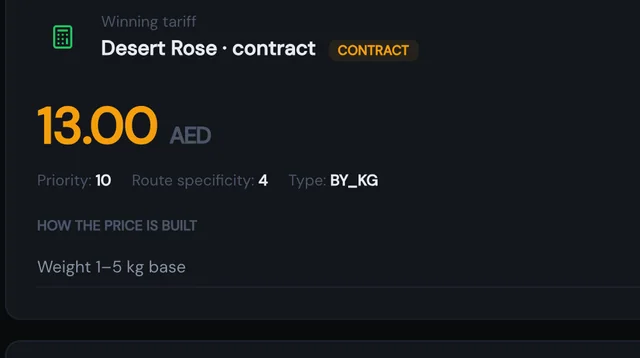
  • The price is calculated the moment the order exists.
  • A courier can collect the parcel from the shop.
Merchant portalExcel bulk uploadREST APIMerchant contracts
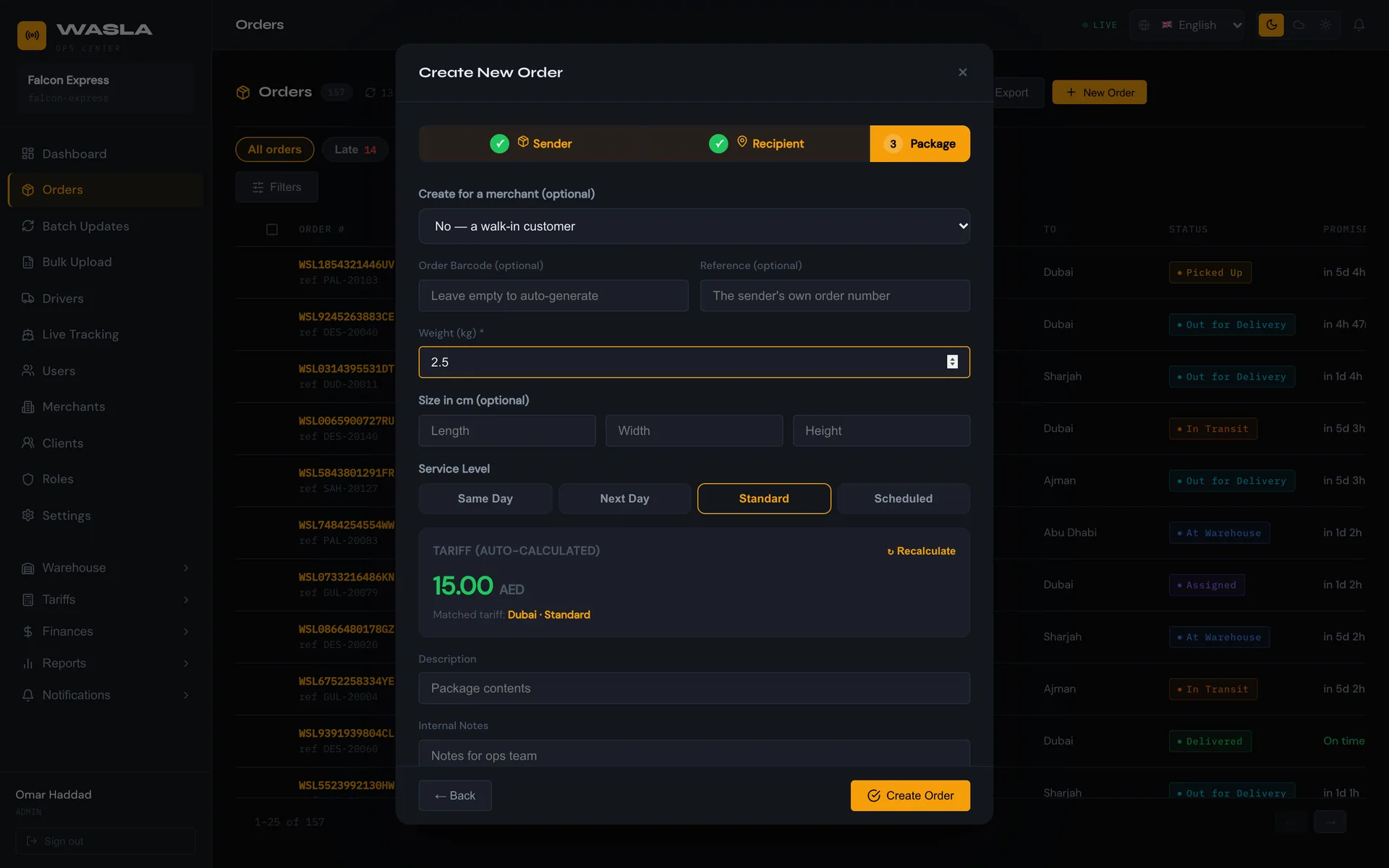
Operations Center
Orders arrive any way you like.
Real screen from the Wasla Operations Center
SorterStep 2

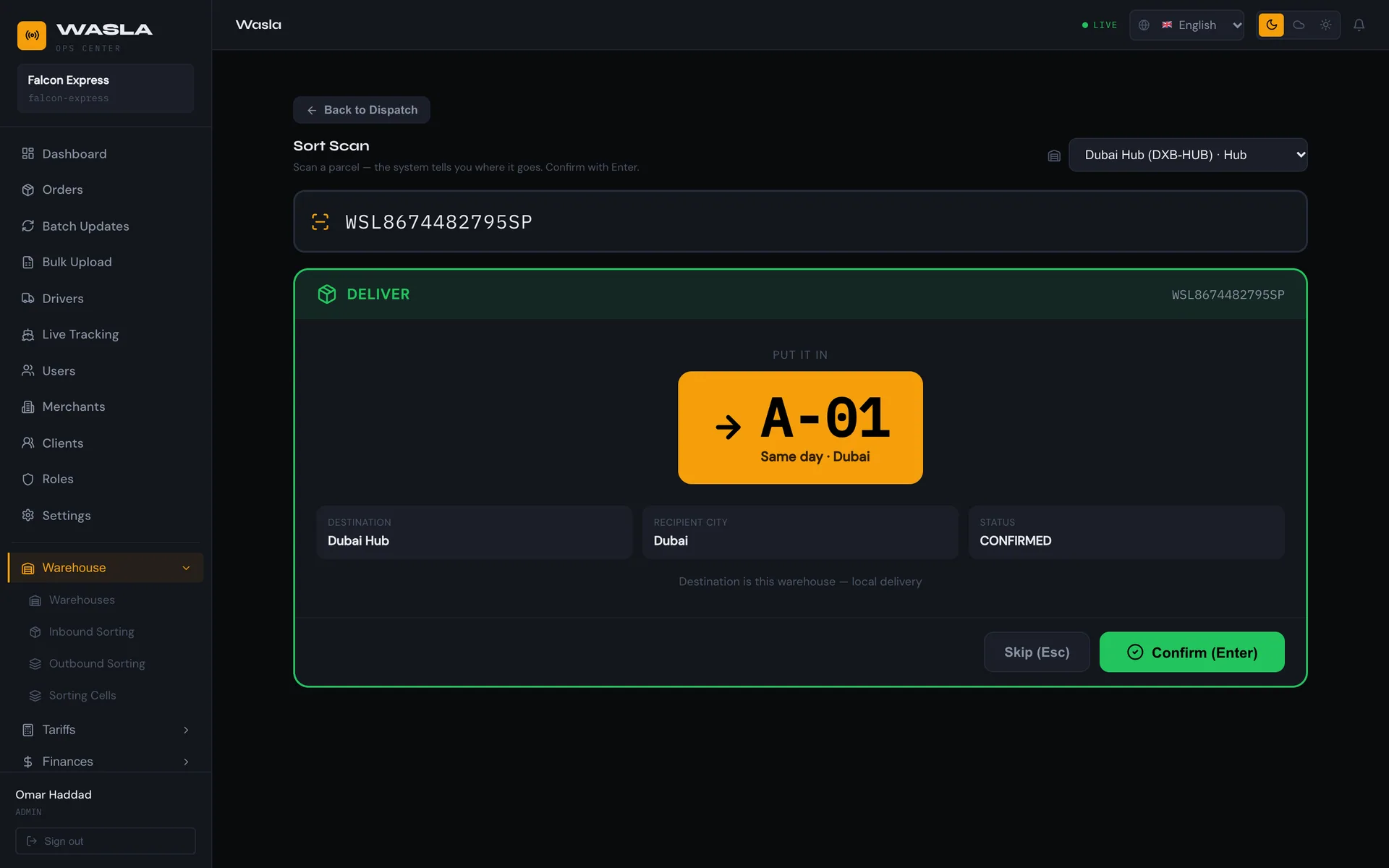
Sorted the moment it is scanned.

  • Wasla says deliver, transfer, hold or flag an exception.
  • It names the cell, so nobody has to remember the layout.
  • Hubs, spokes and transfer batches with QR manifests are built in.
Inbound and Sort ScanRule-based cellsQR manifests
Operations Center
Sorted the moment it is scanned.
Real screen from the Wasla Operations Center
OperatorStep 3

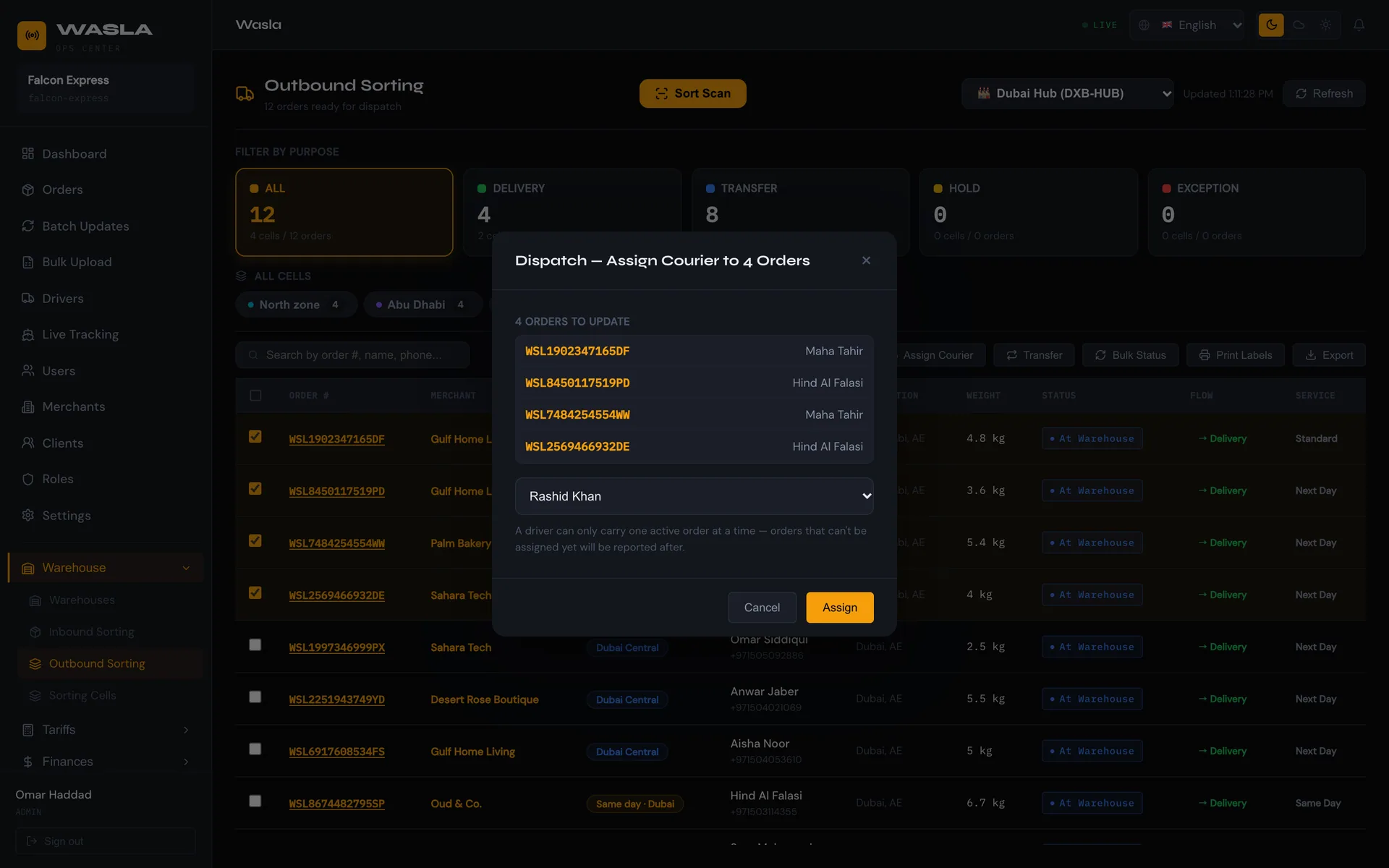
Dispatched in a few clicks.

  • See every parcel by status and warehouse.
  • Assign couriers in bulk, or let Wasla pick the least-loaded one and optimize the route.
  • Update status, change flow and print AWB labels for many orders at once.
Bulk assignAuto-assignRoute optimizationService-level deadlines
Operations Center
Dispatched in a few clicks.
Real screen from the Wasla Operations Center
CourierStep 4

Couriers deliver with proof.

  • Today's tasks in one list, on an optimized route, with call and navigate buttons.
  • New jobs arrive as a push alert. A proof photo is required before a parcel counts as delivered.
  • Position is shared every 30 seconds, on iOS and Android.
iOS and AndroidPhoto proofCall and navigate
Real screen from the Wasla driver app
RecipientStep 5

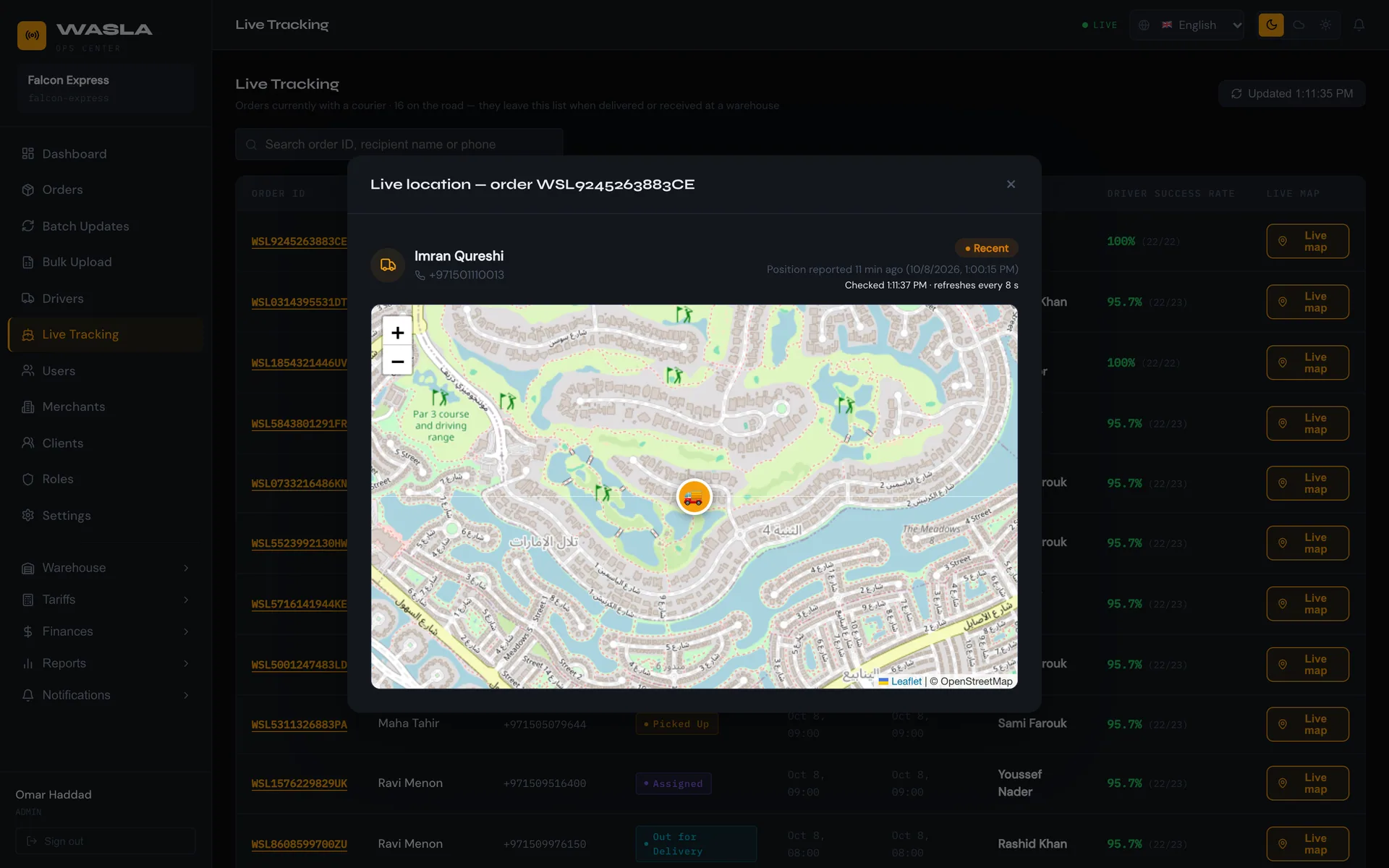
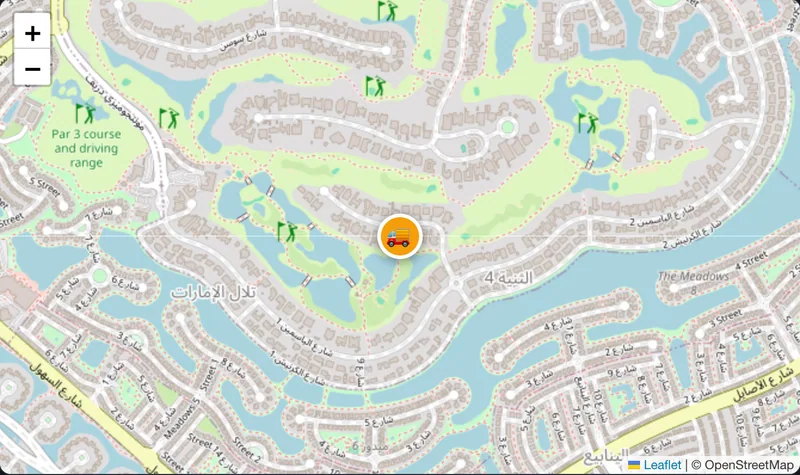
Everyone can see where it is.

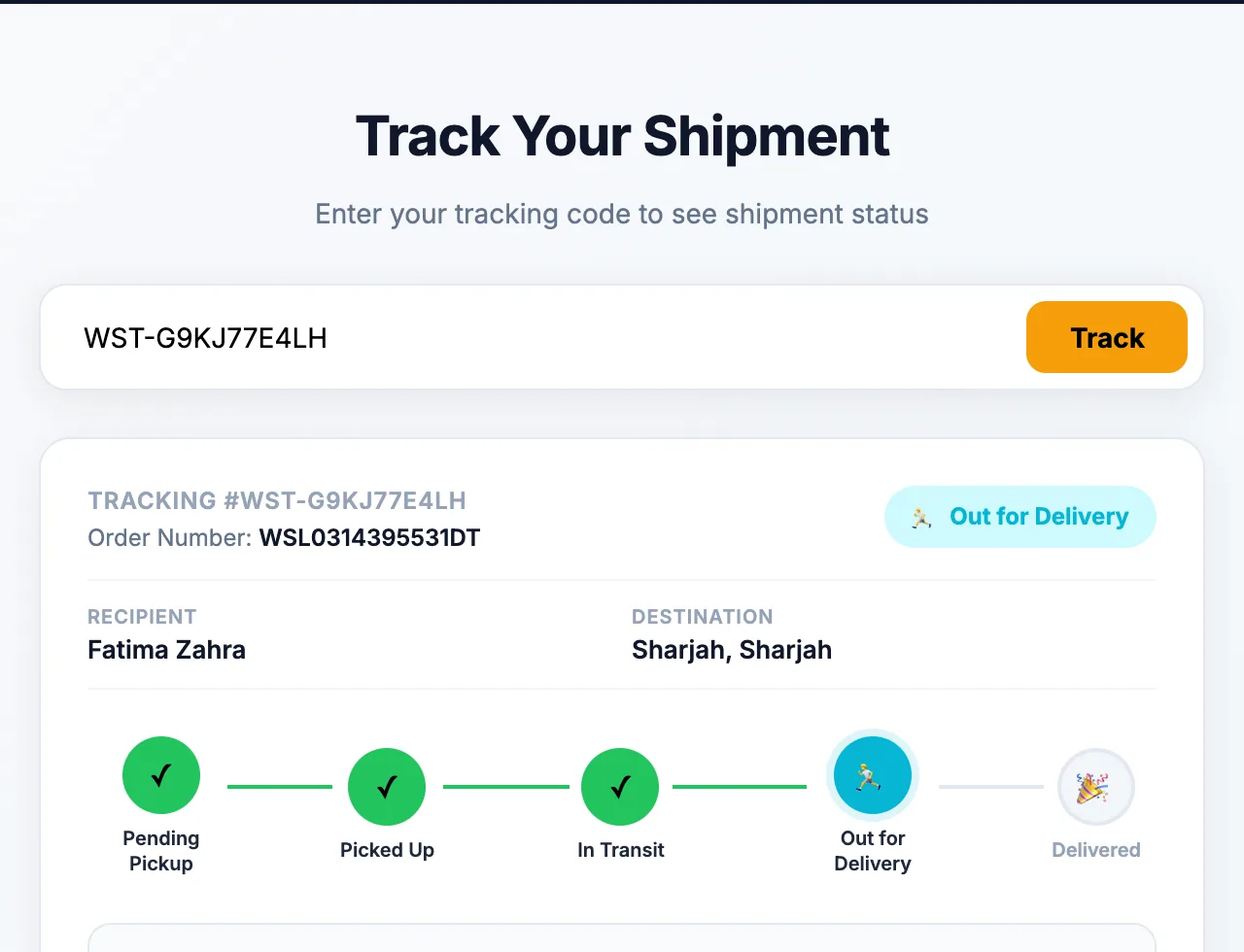
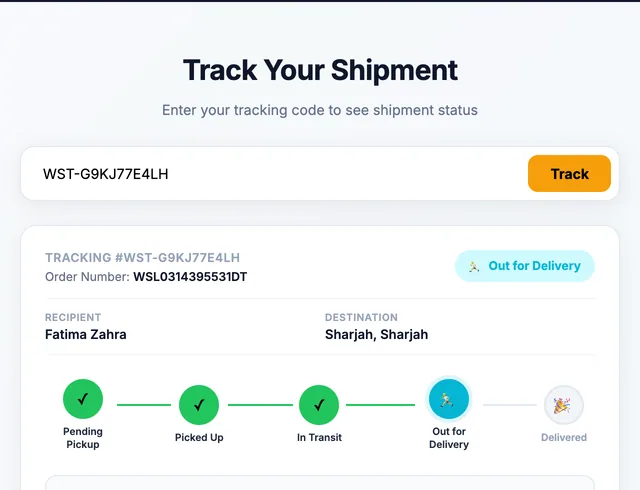
  • Track with a code. No login, no app to install.
  • A clear status and a timeline that updates as the parcel moves.
  • Alerts by SMS and email. The page speaks English and Arabic.
Live courier mapPublic tracking pageSMS and email
Operations Center
Everyone can see where it is.
tracking page
Real screen from the Wasla tracking page

…and then the money.

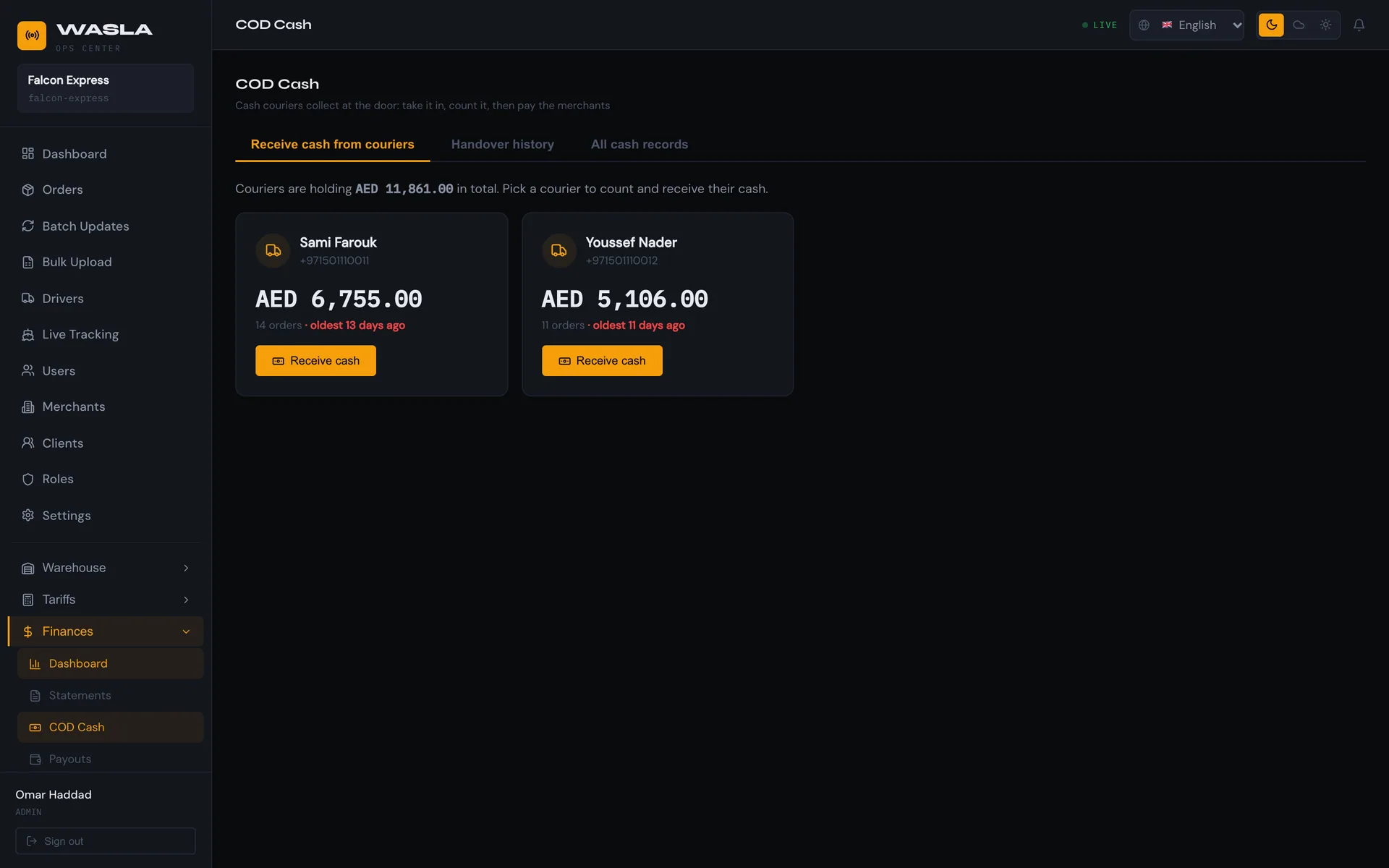
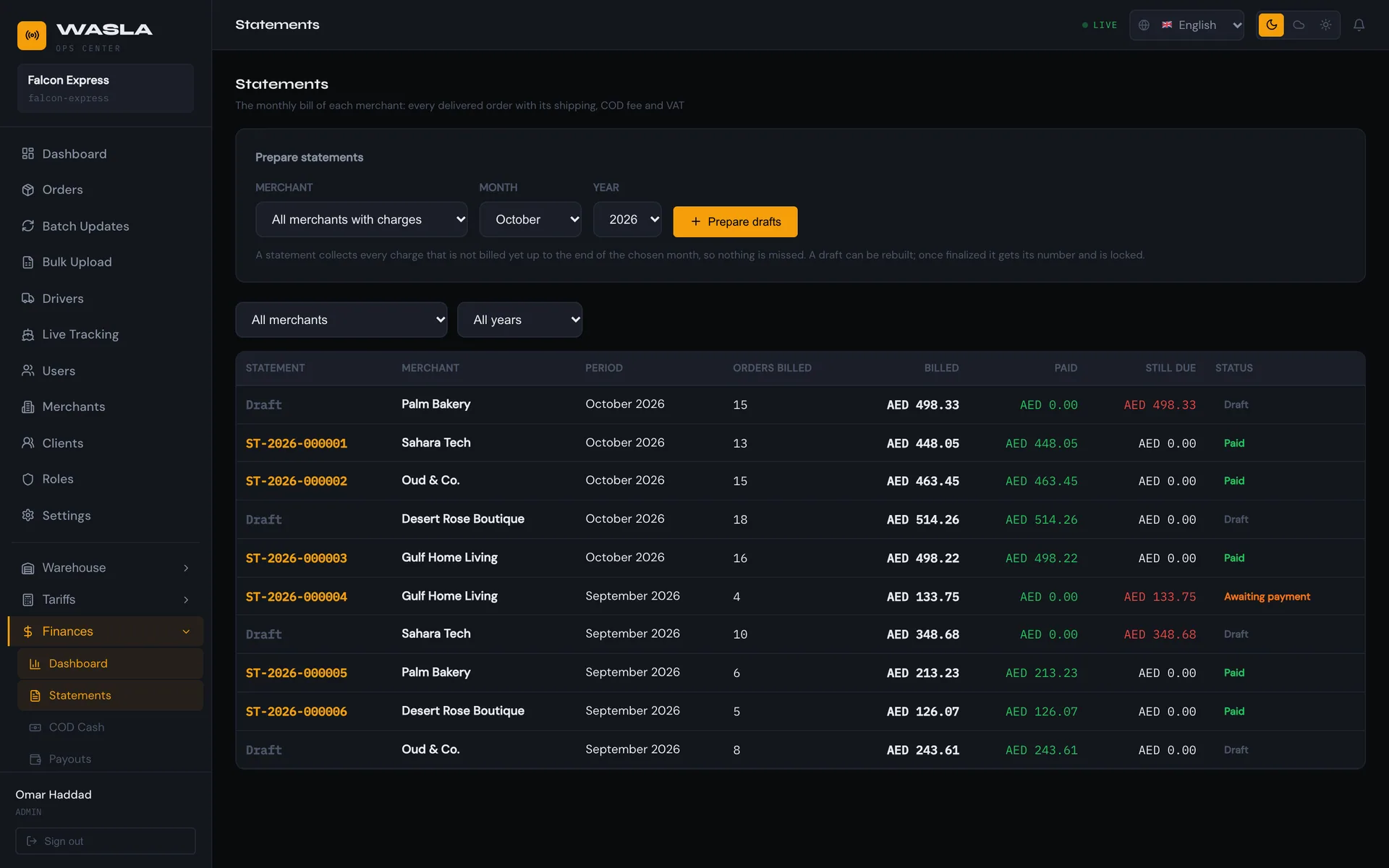
Cash collected at the door is counted, closed in a statement and paid out.

Follow the cash
Chapter 7 · Cash on delivery

Follow the money.

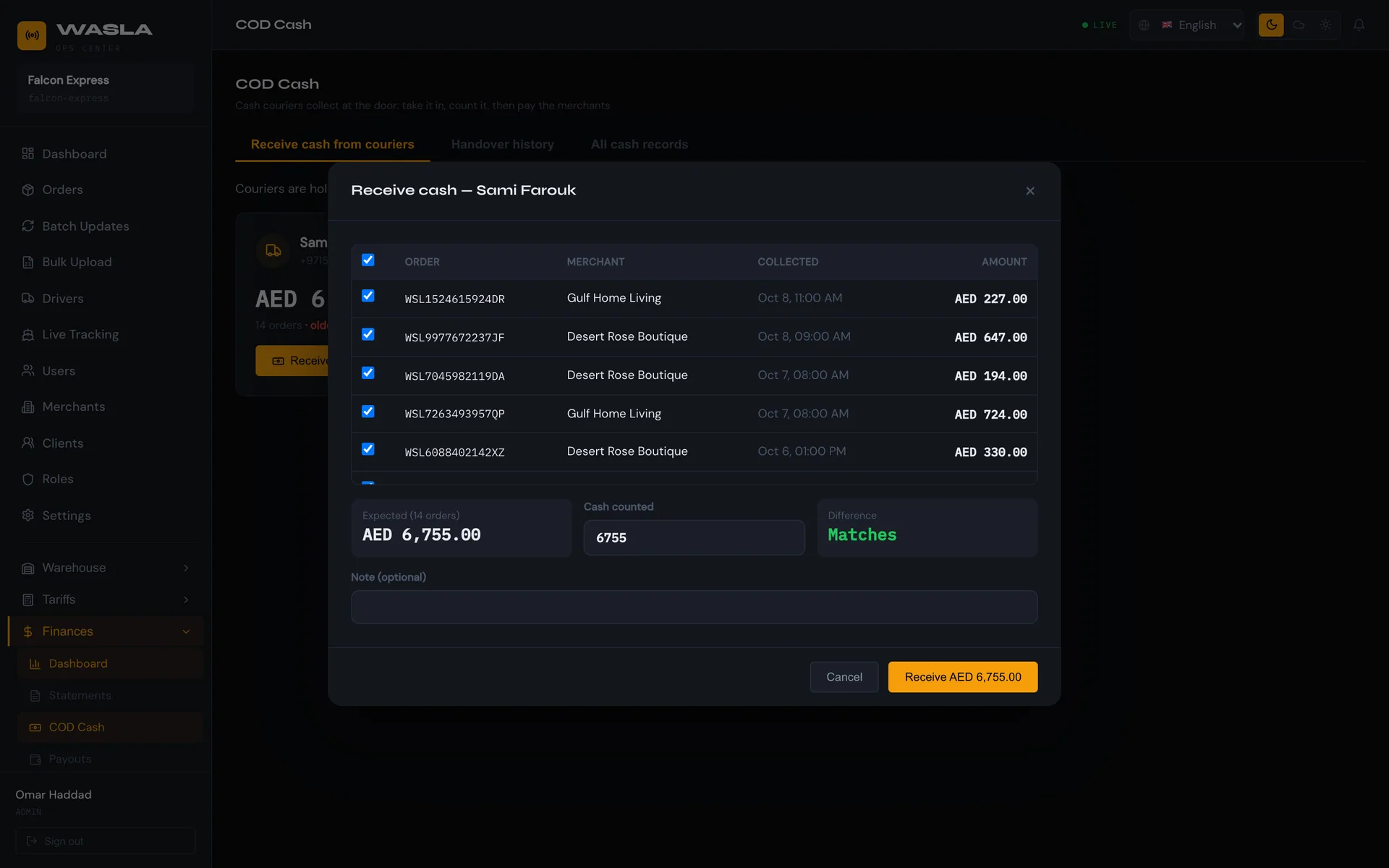
Cash on delivery needs a paper trail. Click a stage to see what Wasla records.

Held by the courier

With the courier.

The recipient pays at the door. Wasla records the cash as collected and adds it to that courier's balance.

Recorded: order, amount, courier, time.
Operations Center
With the courier.
CAPTURE S13a
Who pays shippingThe sender at pickup, the recipient on delivery, or the merchant on a monthly statement.
Monthly statementsNumbered without gaps and locked once finalised.
PayoutsPrepared, then paid with a bank reference.
VAT and COD feeSet once in Settings and applied to every charge.
Control and insight

Built for teams, not just tools.

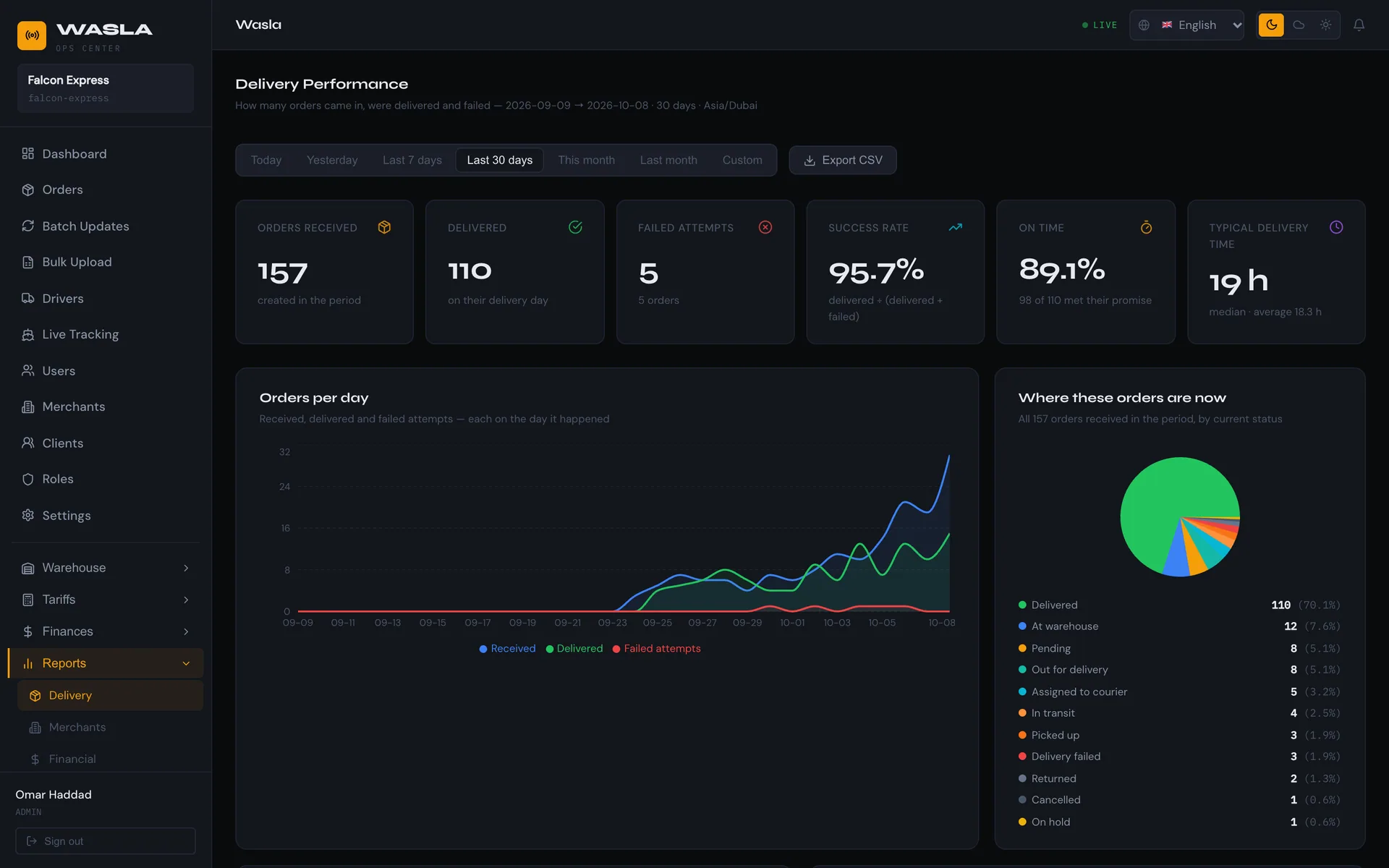
Reports

See what is working.

Success rate, on-time percentage, time on the road and cash held, per courier, per merchant and per period. Export to CSV.

Operations Center
See what is working.
Orders at scale

Do it for hundreds at once.

Filter, select across pages, then update status, change flow, set service level, print AWB labels or export exactly what you see.

Update statusChange flowPrint AWBExport
Roles & permissions

Everyone sees what they need.

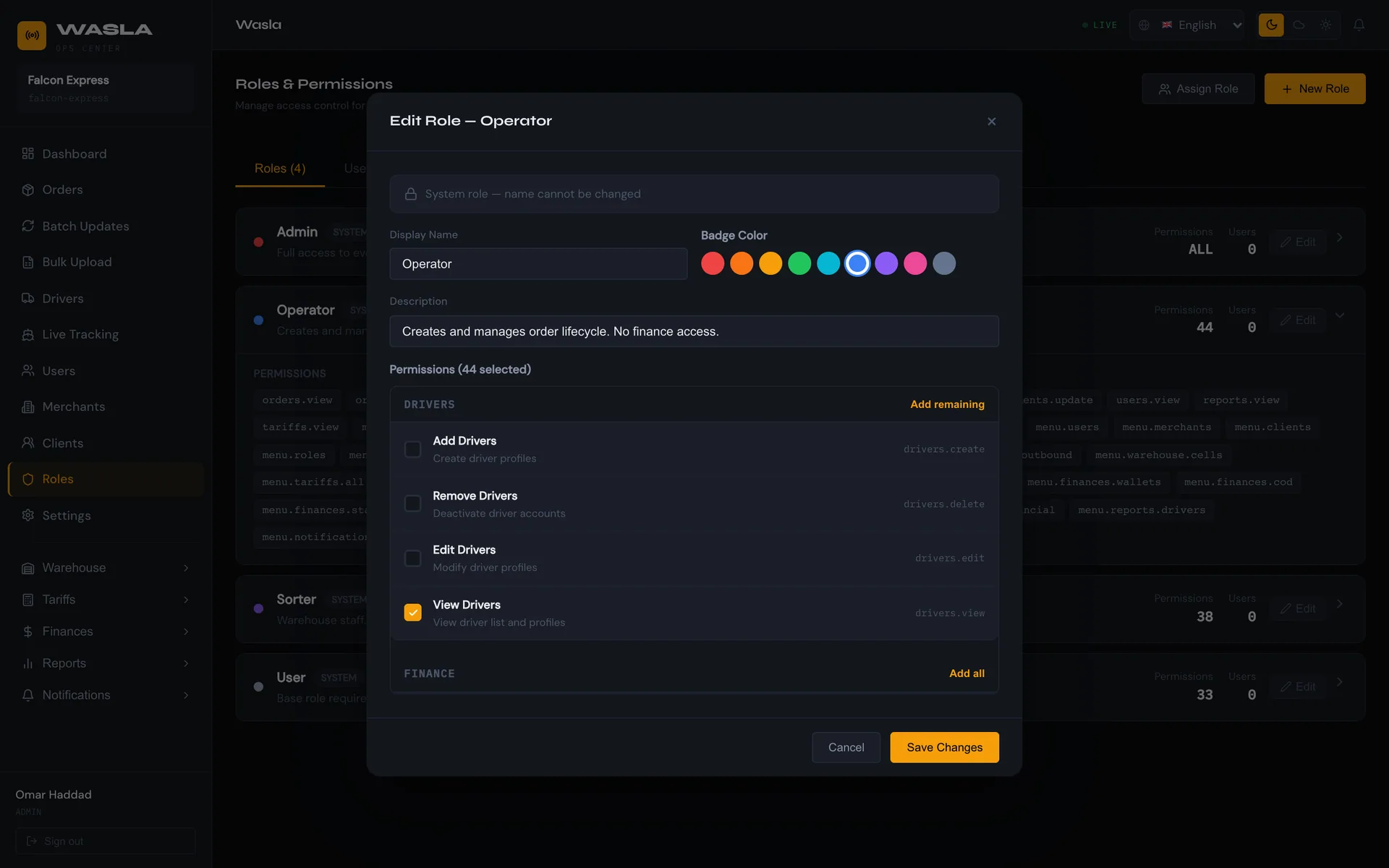
Create roles, tick the exact permissions for each module, and choose which menus each person sees.

Operations Center
Everyone sees what they need.

System roles protect the essentials: Admin always keeps everything, and Sorters can never receive finance access.

Warehouses

Each site sees its own.

Operators and sorters see the parcels, couriers and cells of their warehouse. Admins see everything.

Audit trail

Every change on record.

Each status change keeps who, when, where and which courier.

Companies

Many companies, one platform.

Data stays isolated per company. Platform owners manage companies and plans.

For developers

Connect your store, ERP or marketplace.

Create orders and read their status through a REST API. Show tracking on your own pages with the open tracking endpoint. Status is read by polling.

REST and JSONOpenAPI 3 specOpen tracking endpoint
Ask for the API guide
curl
# 1 · Log in
curl -X POST $BASE/merchants/login \
  -d '{"companySlug":"acme-store",
       "email":"[email protected]",
       "password":"••••••••"}'
 
# 2 · Create an order
curl -X POST $BASE/orders \
  -H "Authorization: Bearer $TOKEN" \
  -d '{"orderNumber":"ACME-2026-000123",
       "senderName":"Acme Store",
       "recipientName":"Dilnoza Karimova",
       "weightKg":1.5, ...}'
 
# 3 · Track it. No token needed
curl $BASE/shipments/track/ACME-2026-000123
Languages

Speaks your team's language.

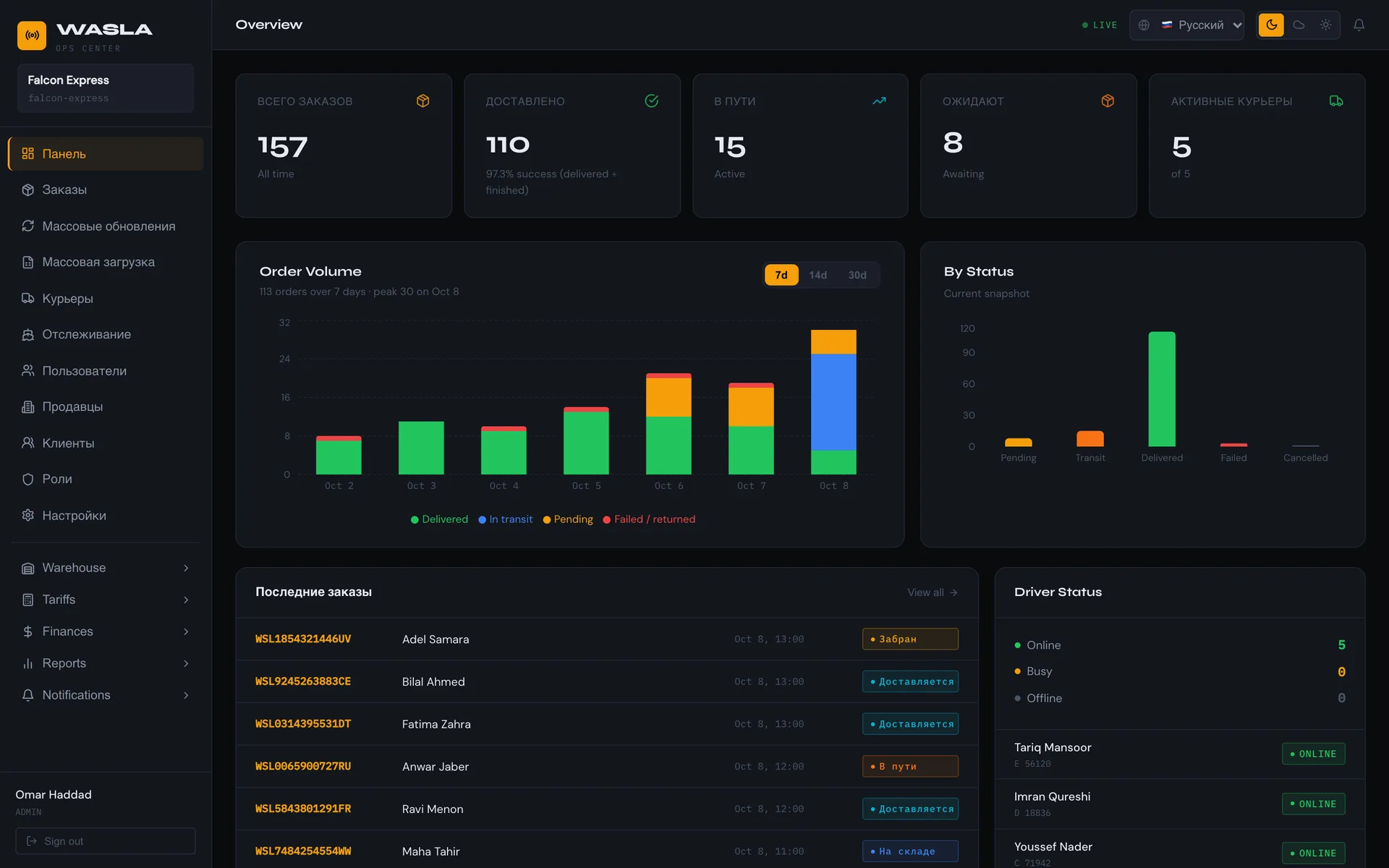
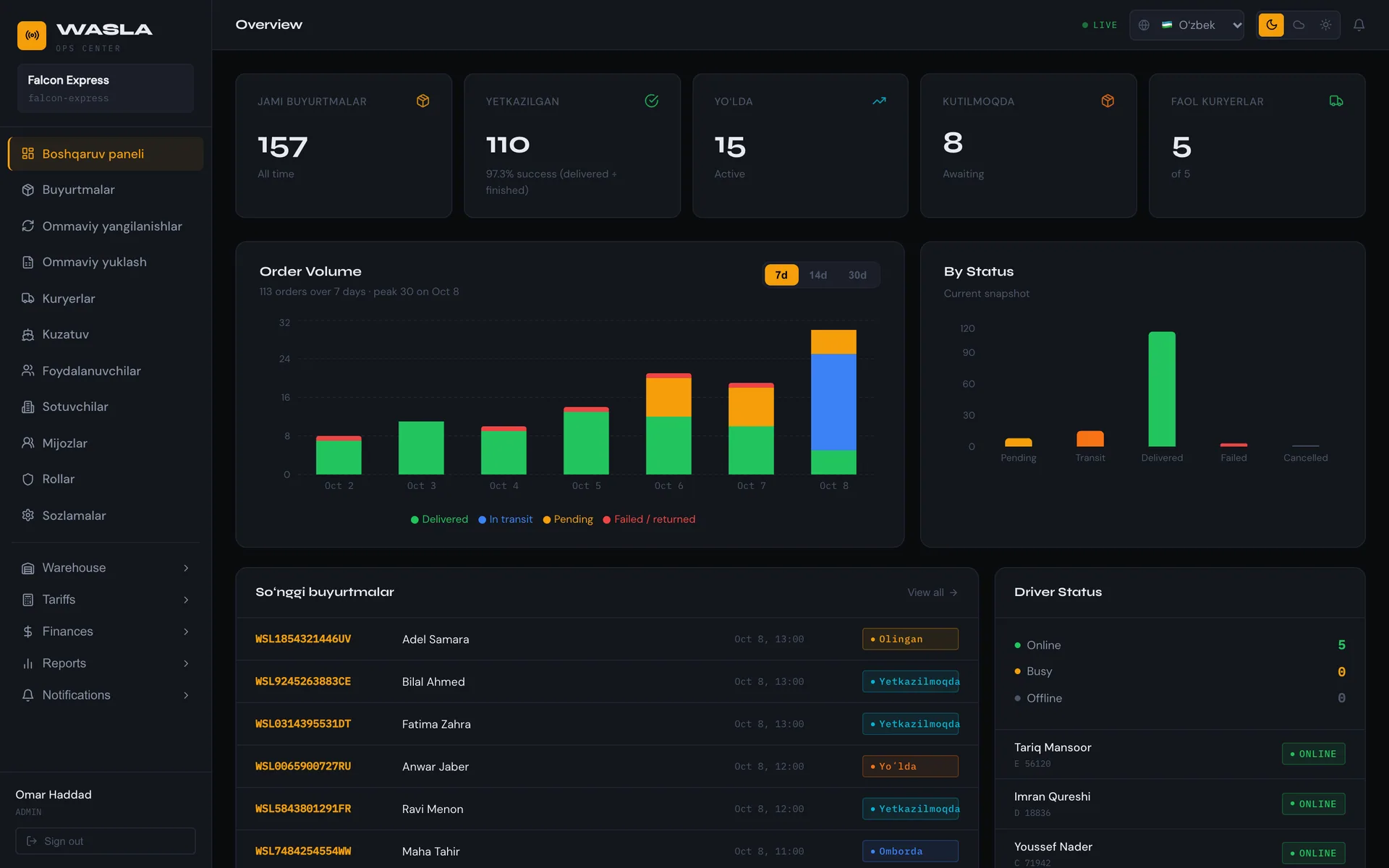
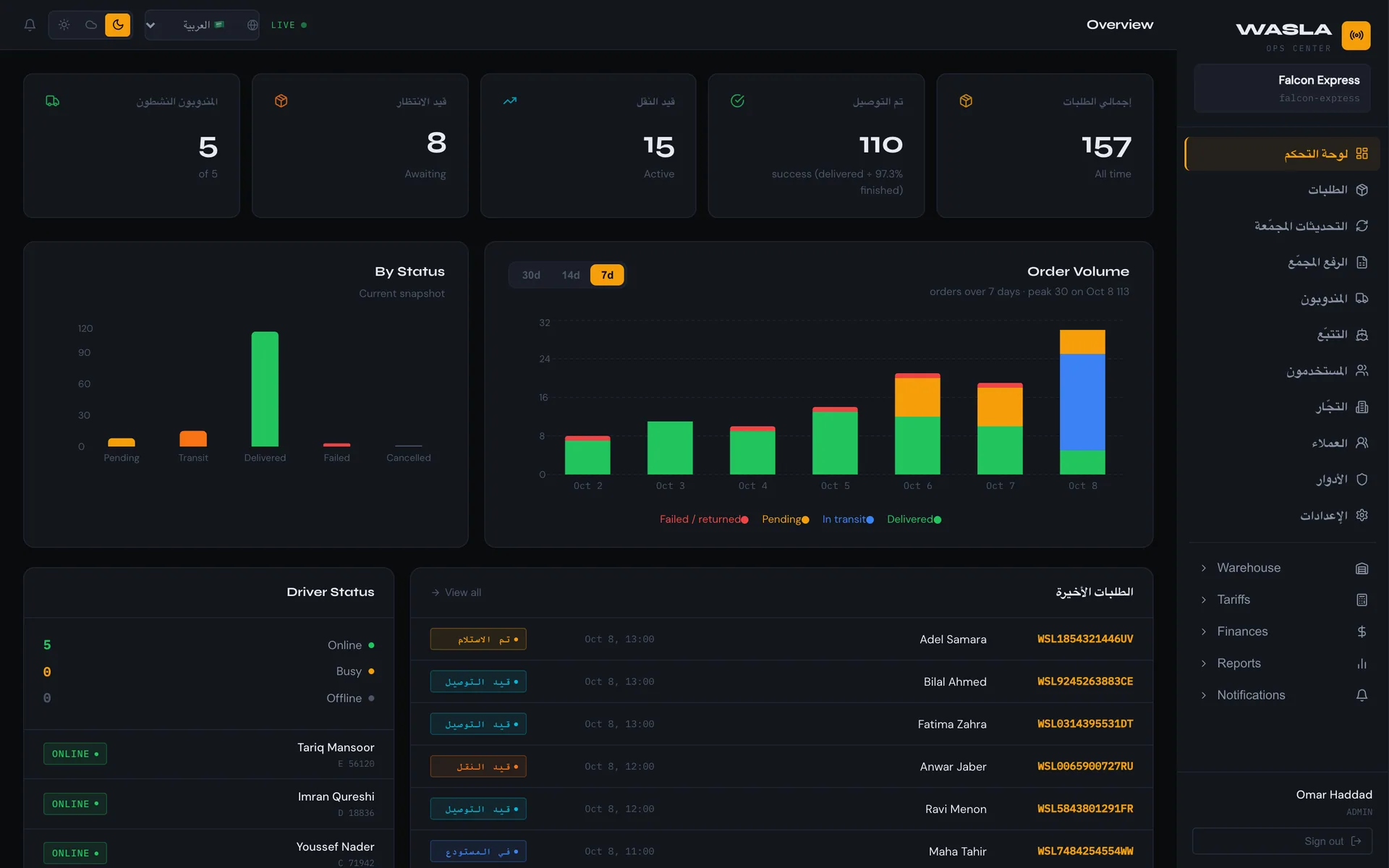
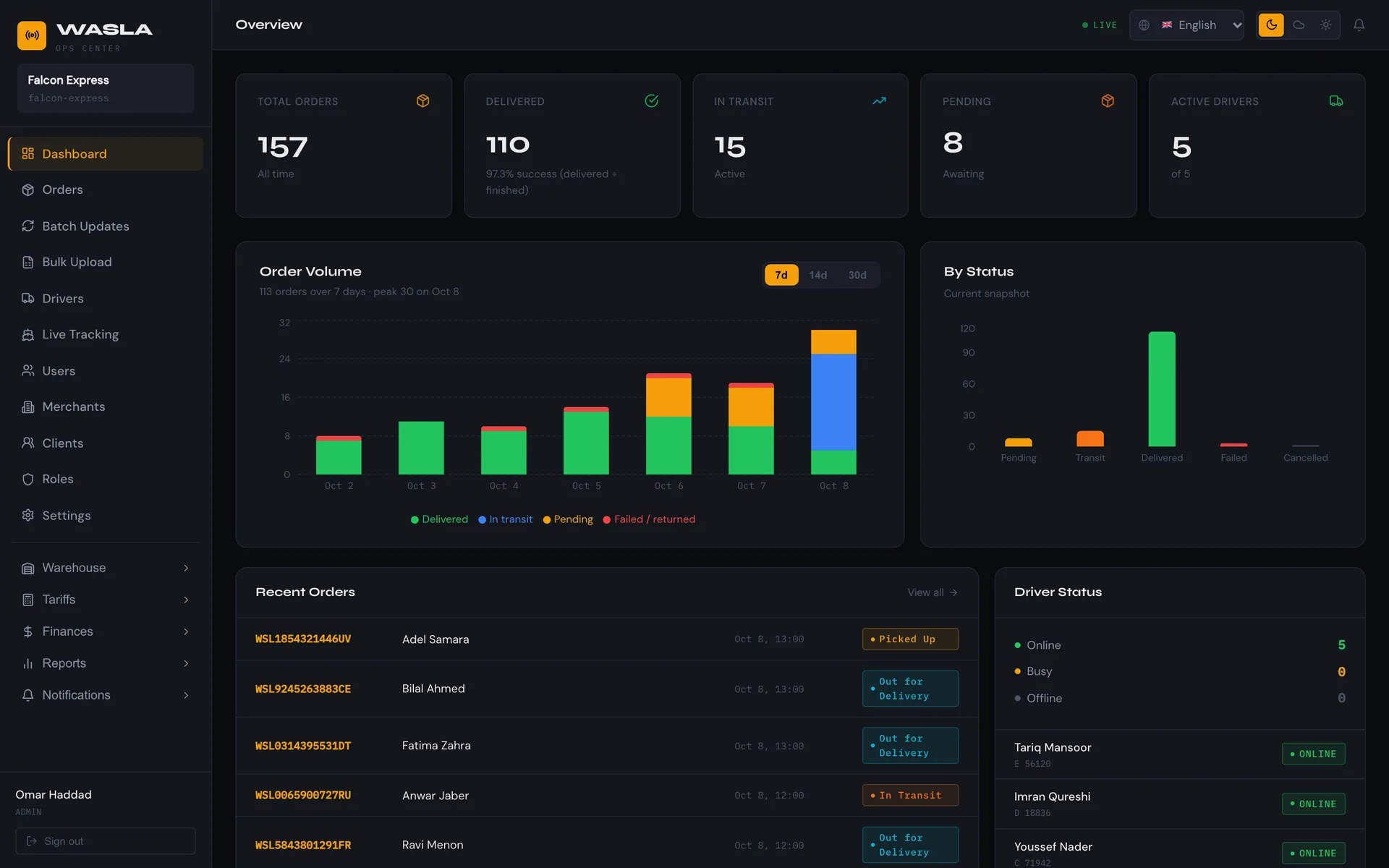
The Operations Center is available in English, Russian, Uzbek and Arabic, with a full right-to-left layout for Arabic. The public tracking page speaks English and Arabic.

Wasla · Operations Center
Wasla · Operations Center · EnglishWasla · Operations Center · РусскийWasla · Operations Center · O‘zbekchaWasla · Operations Center · العربية

Real screens from the Wasla Operations Center.

How to start

From first call to first delivery.

  1. 1

    Book a demo

    A short walkthrough built around your own delivery flow.

  2. 2

    We set up your company

    Warehouses, tariffs, couriers, merchants and roles, configured together with you.

  3. 3

    Go live

    Couriers install the driver app, merchants start sending, recipients start tracking.

Questions, answered.

Who is Wasla for?

Delivery and courier companies that want one system for orders, warehouses, couriers, tracking and cash. Their merchants, drivers and customers use the same platform through the portal, the driver app and the tracking page.

Can our merchants connect their online store?

Yes. Merchants can create orders in the portal, upload an Excel file, or integrate through the REST API. An open endpoint lets you show tracking on your own pages.

How does cash on delivery work?

Each payment is recorded as collected by the courier, counted when handed in at your office, then reconciled when paid to the merchant. Shortages are stored on the handover.

Which languages are supported?

The Operations Center is available in English, Russian, Uzbek and Arabic, including right-to-left layout. The public tracking page is available in English and Arabic.

Can several warehouses work together?

Yes. Wasla supports hub-and-spoke networks with transfer batches between warehouses. Each warehouse sees only its own parcels, couriers and cells, while admins see everything.

Can we control who sees and does what?

Yes. Create roles and tick the exact permissions for every module, down to add, edit, remove or view, then choose which menus each person sees. Admin always keeps full access, and Sorters can never be given finance.

Does Wasla optimize courier routes?

Yes. Wasla optimizes the route across each courier's stops, and the courier navigates to every stop with a single tap.

How do we get started?

Book a demo. We set up your company with you, then couriers install the app and merchants start sending.

Book a demo

Tell us about your operation.

Choose what you run today. We will build the demo around it.

What do you run today?
3 of 5 areas selected

Prefer to write? Email us at [email protected]

We use your details only to arrange the demo, and reply by email.